Engineering High-Reliability Mobile & Desktop Systems.
I am Sandeep Emekar, a Senior Software Engineer specializing in Native Android (Kotlin & Java), Windows desktop utilities, and privacy-first local architecture. I use modern AI workflows to turn app ideas into polished, production-ready software in record time - without ever cutting corners on quality or battery life.
Solving difficult real-world engineering problems with native performance and clean system architecture.
I am a Senior Software Engineer with over a decade of deep, hands-on experience building mission-critical software solutions across Android and Windows environments. My technical philosophy centers on reliability, memory frugality, and user privacy.
I leverage modern AI-assisted workflows to build and iterate on applications at lightning speed. By combining cutting-edge AI acceleration with over 11 years of deep native architecture, I turn concepts into production-ready software in record time - without ever cutting corners on code quality, security, or performance.
From emergency alert services that broadcast live location before battery failure (LastPing) to intelligent sensor-driven acoustics (PocketRing) and 24/7 power-grid monitoring tools (Power Monitor), I design applications that perform under demanding conditions.
Beyond mobile, I build native Windows desktop utilities like Say the Time, engineered for minimal CPU footprint, effortless system-tray integration, and seamless user accessibility.
Firebase HostingFirebase Cloud StorageCloud FirestoreGoogle Play ConsoleGit / CI/CDWix DNS & SSL
Google Play Store
Android Applications
Production-grade Android tools built with native performance, zero bloat, and uncompromising privacy.
Emergency & Safety
LastPing
Automatic low-battery emergency SOS and live location beacon. LastPing detects critical battery levels and broadcasts your exact coordinates to emergency contacts before your phone powers off.
Automated SOS before complete battery drain
Lock screen & home screen instant SOS trigger widget
Ultra-low power GPS acquisition protocol
End-to-end encrypted contact dispatch
Smart Audio & Sensors
PocketRing
Context-aware ringtone and volume manager. PocketRing uses proximity and motion sensors to dynamically boost ringer volume when your phone is in a bag or pocket, and gracefully softens it on open desks.
Hardware proximity & ambient light detection
Prevents missed calls in noisy outdoor transit
Suppresses sudden loud rings during quiet meetings
Zero battery overhead with event-driven sensors
IoT & Outage Tracking
Power Monitor
Transform any spare or secondary Android phone into a 24/7 dedicated power outage sentinel. Receives instantaneous status alerts whenever main AC power is disrupted or restored.
Instant power loss & restoration push notifications
Critical for home freezers, aquariums, and home servers
Detailed electrical uptime & outage logging history
Robust reconnection with background daemon
Security & Privacy
CallGuard
Advanced call blocker engineered to eliminate aggressive loan recovery calls, harassment, and telemarketing spam. Built with 100% on-device processing to protect your address book.
Targeted blocking against aggressive loan recovery spam
Parental volume control and hearing safety utility. Lock individual volume streams to prevent accidental muting, enforce WHO-recommended safe listening caps, and manage limits remotely with instant QR pairing.
Safe hearing volume cap (WHO-recommended 60% limit)
Real-time remote control & instant QR parent-child pairing
Anti-tamper 4-digit PIN & zero personal data collection
Windows Desktop Applications
Native Windows Utilities
Zero-bloat desktop software engineered for automation, power management, and seamless productivity.
Windows 10 / 11 Native Utility
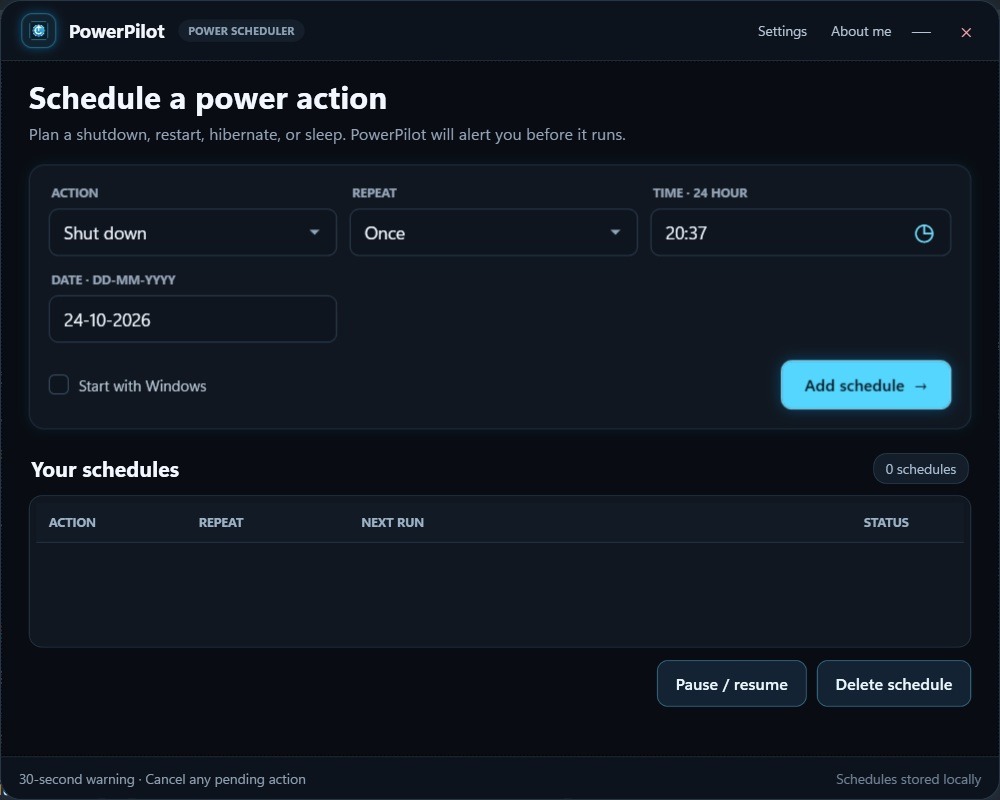
PowerPilot
A calmer way to plan your PC's power schedule.
Plan when your PC shuts down, restarts, hibernates, or goes to sleep. Set a one-time, daily, or weekly schedule, and PowerPilot will remind you before it happens with a short countdown and a chance to cancel. Runs quietly in your system tray and stores your schedules locally on your PC.
Schedule shutdown, restart, hibernate, or sleep actions
One-time calendar dates, daily recurrence, or weekly cycles
Visible countdown warning (5s to 1 min) with instant cancel option
Zero background footprint - schedules stored 100% locally on your PC
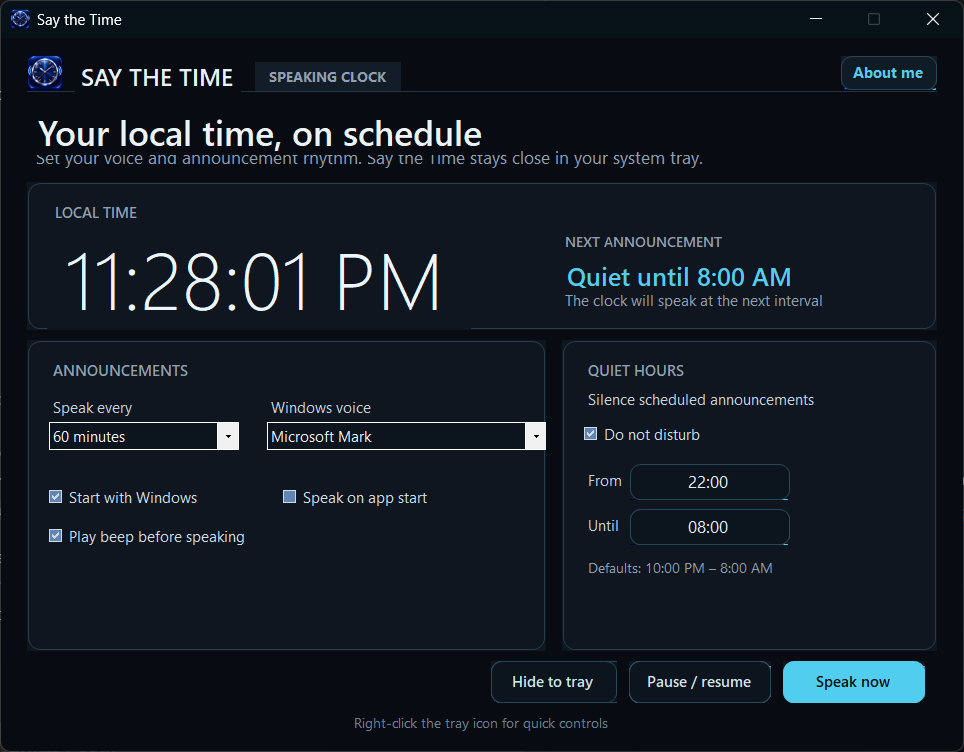
Say the Time is a high-performance Windows speaking-clock application designed for programmers, writers, audio producers, and accessibility-conscious users who want time awareness without having to take their eyes off their work.
Configurable announcement cadences (hourly, half-hour, 15m, or custom schedules)
Quiet Hours (Do Not Disturb) mode to automatically silence scheduled announcements
High-clarity speech synthesis using installed Windows TTS voice engines
Lightweight background tray footprint with right-click quick controls & zero CPU load
Optional pre-speech chime beep and instant on-demand voice announcement
Main DashboardSpeaking cadence, TTS voice selection & Quiet Hours
Click to enlarge
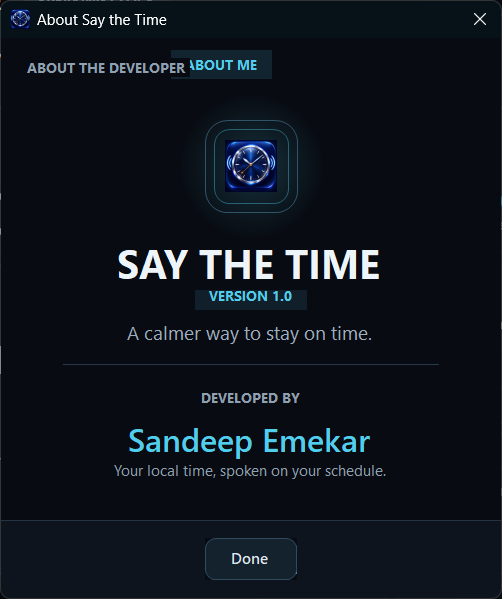
About DialogVersion 1.0 release & Developer Details
System Compatibility & Specs
Operating SystemWindows 11 / 10 / 8.1 / 7
Architecture64-bit & 32-bit x86
Runtime Footprint< 15 MB RAM
Voice SynthesizerSAPI5 / Windows Media Speech
DeploymentStandalone Executable (.exe)
Engineering Standard
Architectural Philosophy
The principles embedded into every line of code across all platforms.
🔒
Local-First Privacy
User data, call records, and telemetry stay on the device. No hidden analytic trackers or third-party scraping.
⚡
Resource Frugality
Every background service is event-driven. Sensors and radios sleep until triggered to ensure zero noticeable battery drain.
🛡️
Defensive Reliability
Built for harsh edge-cases: low memory kills, network transitions, aggressive OEM battery management, and system reboots.
📐
Clean System Design
Adherence to SOLID principles, separation of concerns, deterministic testability, and maintainable native codebases.
Get In Touch
Let's Discuss Software
Have a technical project, app inquiry, or consulting opportunity? Send a message directly.
Contact Information
I am open to discussions regarding native mobile systems, Windows desktop utilities, architecture reviews, and high-performance engineering initiatives.